
Run every AI initiative from first idea to the call to scale, fix, or cut.
List every initiative, approve its budget, let cost and value arrive from your systems each month, and bring it back for a decision on a schedule. Here's the loop.
Put every AI initiative on one list
Start from one of 50+ templates, each with a formula and the integrations it reads. Upload a business case or a register of what's already running, and Roiva proposes the initiatives for you to review, or import the tracker workbook you've been keeping. List every idea you're weighing: only the initiatives you measure count against your plan. Not sure where to begin? The free AI ROI Exposure Assessment sizes your AI spend and suggests the templates worth running first.
Take the assessment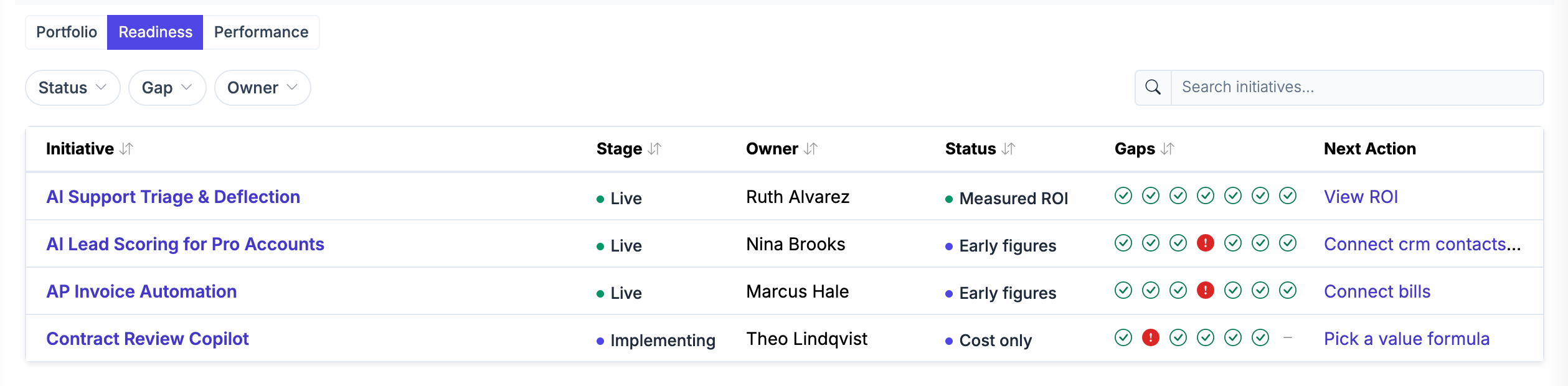
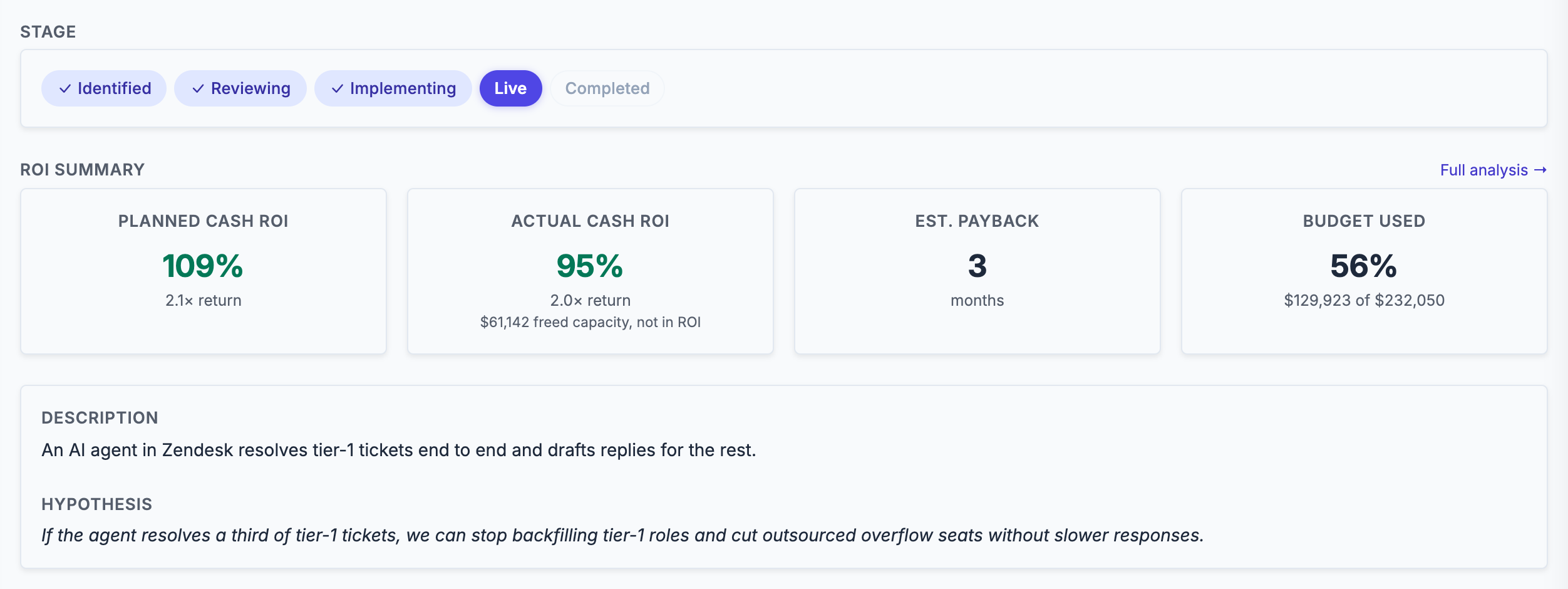
Approve it, with a budget and a charter
Submitted for review, an initiative goes through your approval chain, one approver or several in turn. Approval moves it to implementing and records its budget, a CapEx total and an OpEx rate, and a later increase above your threshold waits for an Owner's sign-off. Where your organization requires reviews first, such as privacy or workforce impact, approval waits until a named person signs each one off against its evidence, or an Owner waives it with a reason, and the approval keeps that record. Its measurement charter says what the AI gets credit for, and is best signed before results arrive: a revision after them is recorded as one. Stage changes reach Slack and email, so the portfolio reflects what's actually happening.
Cost and value arrive each month, and a person approves them
Roiva books cost from your books and your cloud and AI providers, and value from your CRM, help desk, billing system and warehouse: 30+ integrations in all. Each month's value comes from a versioned formula, a synced record or a named person's entry, and counts only once it's approved. Hours freed are freed capacity, reported beside cash ROI and never in it, until a document shows a budget changed. Where your systems hold no baseline, a time study measures one.
Read the measurement methodology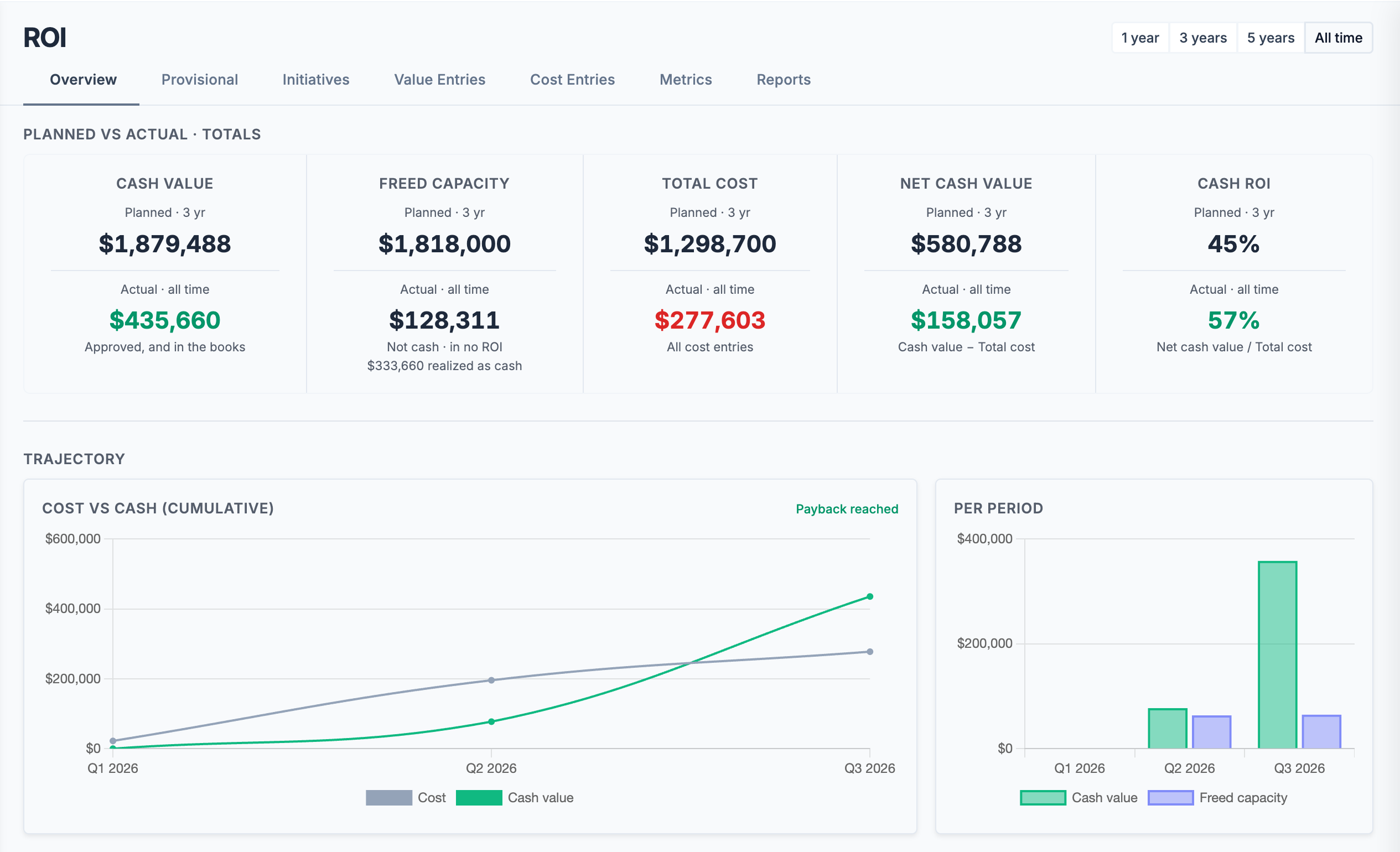
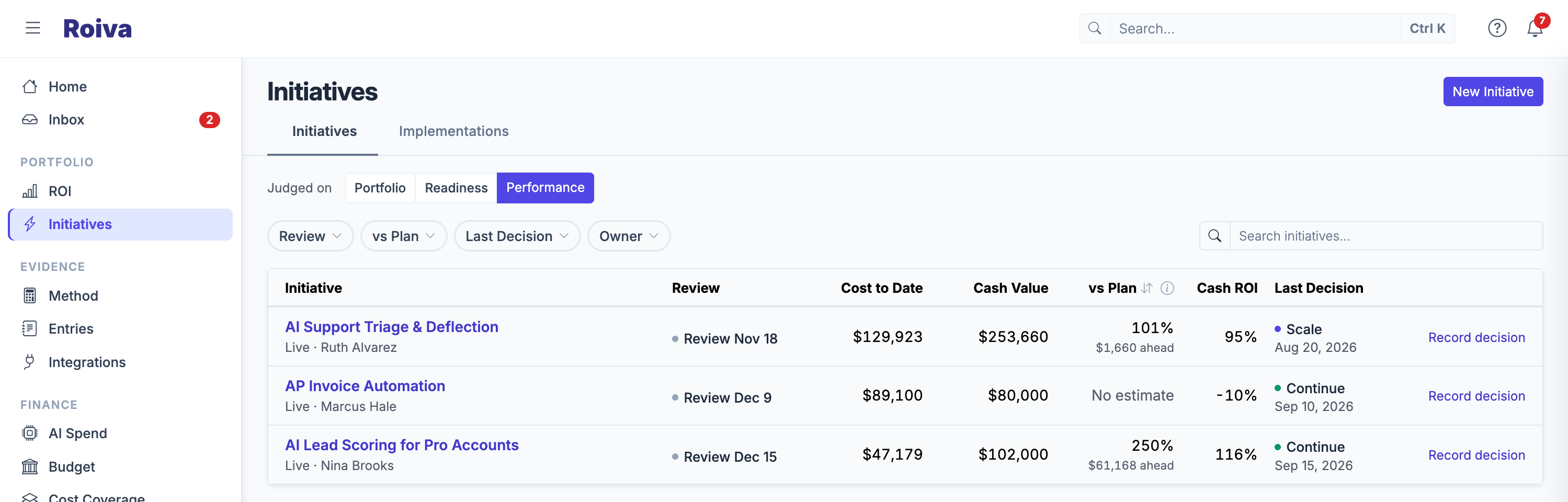
Decide what to scale, fix, or cut, on a schedule
Once an initiative is live, Portfolio Review brings it back up on a schedule. Record whether to continue, scale, fix, pause, or retire it, and why. Each decision keeps the cost, cash value, freed capacity and cash ROI it was made against, so next quarter's review reads the call as it was made, not against today's numbers. Then the loop runs again: next month's figures arrive, and the next review is already on the calendar.
Want the full breakdown?
Everything from AI cost observability to enterprise security
The catalog covers the whole platform: 50+ initiative templates, 30+ integrations, measurement charters and time studies, journals posted to your books, board-ready reports, audit logs, SSO, and more.
See all features →The first ninety days
From kickoff to a number finance will sign
If the initiative has been running in a system Roiva reads, the first number comes from its history, not from waiting: agree the formula and what "before" looked like, and each full month since go-live that the system holds is worked out as the data syncs. The rest of the first month goes on checking that number and getting it approved. Everything after that is repetition.
The earliest CFO-ready readout · day 30
The 30-Day ROI Readout takes one AI initiative that has been live for at least a quarter, in a system Roiva reads, and presents a board-ready readout of what it cost and returned 30 days after it starts. We do the setup and the data entry. It's $5,000, credited in full against year one if you go on to a subscription.
To have it before the quarter ends on December 31, 2026, start by December 1, 2026. The day the 30 days start is agreed on the first call. An initiative with less history takes longer, because its first number waits for readings after go-live to compare with its baseline.
See the 30-Day ROI Readout →Week 1 — Connect
Pick the first initiative, agree its formula, and connect the system it runs on. Where it holds full months from before go-live, they set the baseline, and each full month since is measured as the data syncs.
Weeks 2–4 — Sign-off
Check the figures, add what your systems don't hold, such as a loaded hourly cost or a baseline where history is missing or has gaps, and get the number approved by finance.
Month 2 — Widen
Two or three more initiatives, with AI provider spend connected and allocating.
Month 3 — Report
The first quarterly reporting cycle, run end to end from your own data.
Common questions
AI ROI tracking — FAQ
How does Roiva calculate AI ROI?
How long does it take to see real AI ROI numbers in Roiva?
Does Roiva work for AI initiatives in any function?
What if we're just starting with AI?
How does Roiva handle uncertainty in AI value estimates?
Try it on your own AI portfolio
Start free and measure your first initiatives on your own data, with no card and no expiry. Or book a working session with the founder for a tailored walkthrough.