
Everything Roiva does, from the first AI idea to the board report
Find where AI can help, track each initiative's cost and value, close the month, and report what it returned. Every dollar of value traces to its source and an approval.
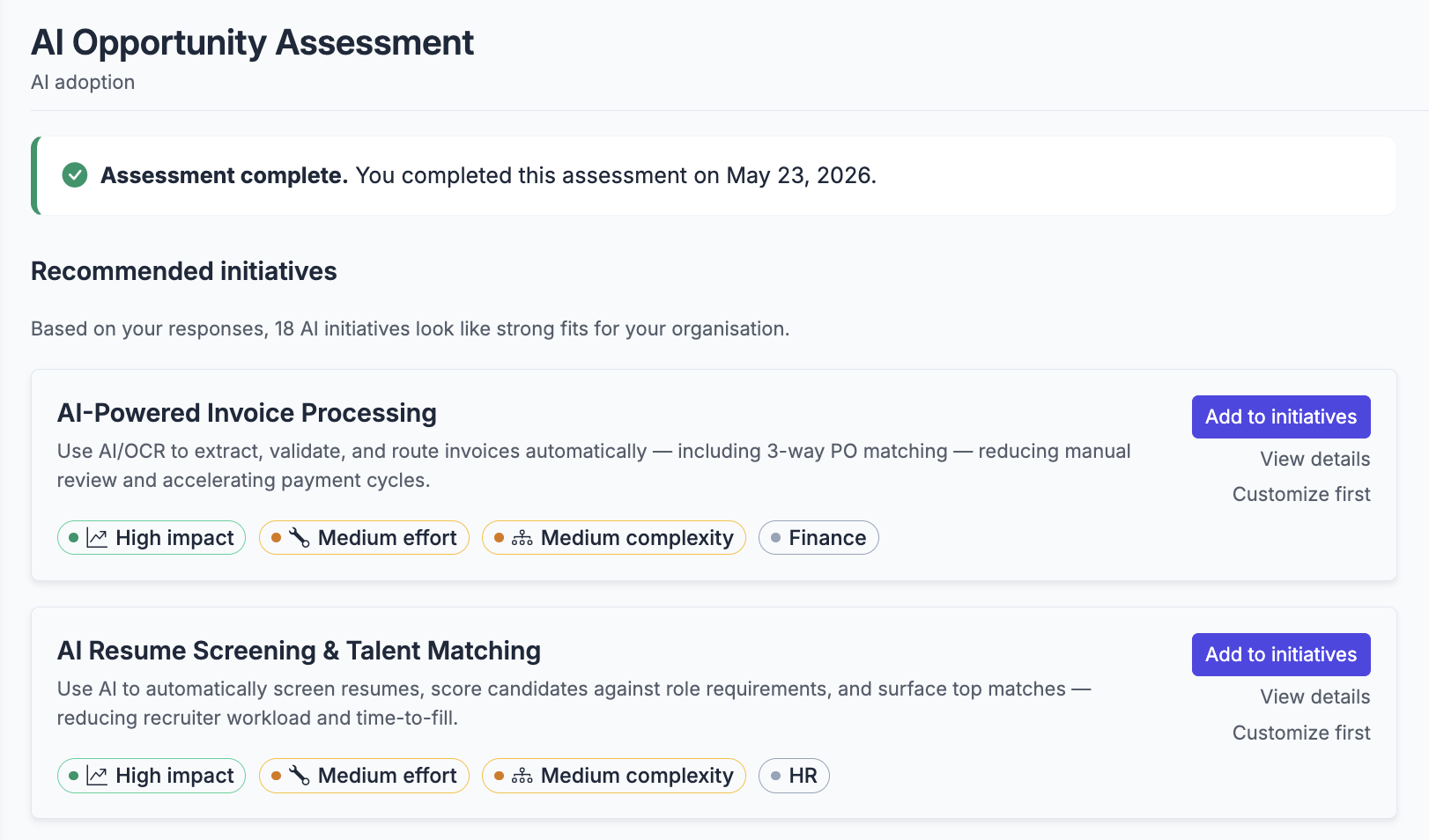
Find your AI opportunities — in 5 minutes, without an account
The free assessment matches your team and goals against a library of 50+ pre-built initiative templates, each with a default formula and baseline.
- Tailored shortlist — ranked by impact and effort
- Each result links to a deployable initiative template
- No account required to see your results
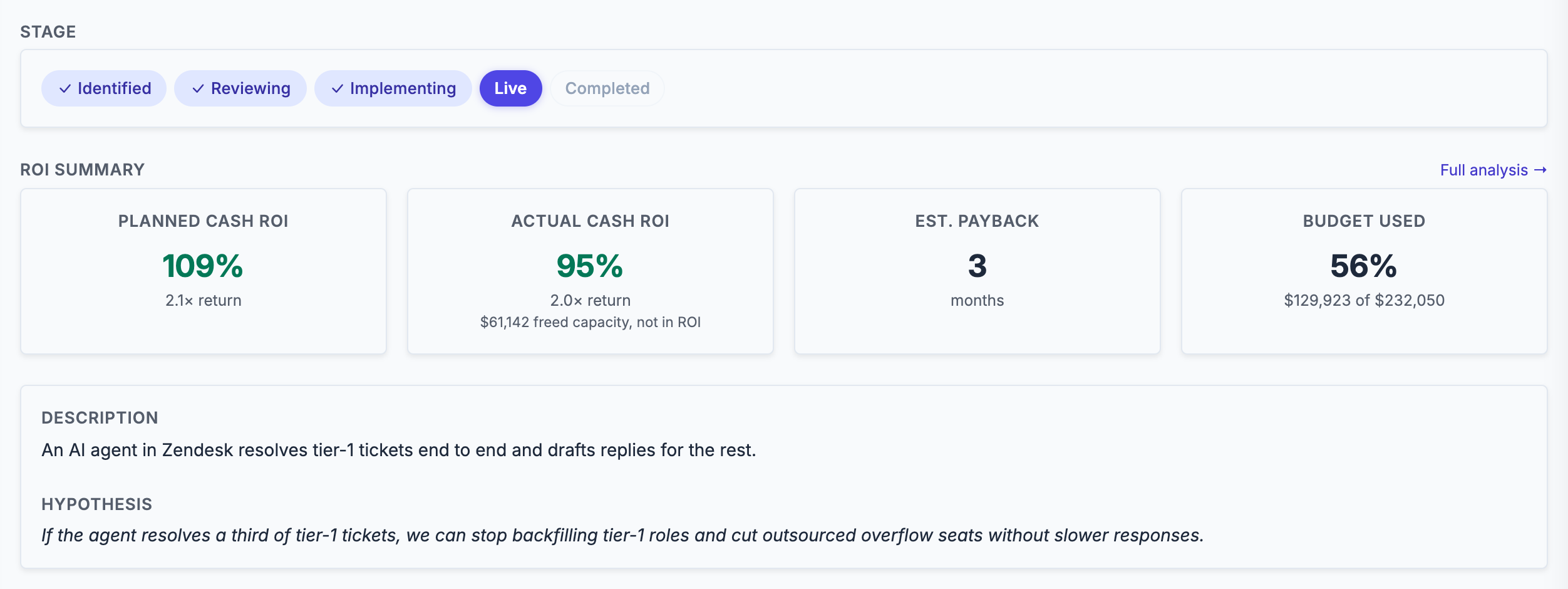
Run every AI project through the same stage gates
Every initiative moves through identified → reviewing → implementing → live → completed, and can be paused along the way. Each stage has owners, timelines, costs, and expected return, so the portfolio reflects what's actually happening.
- CapEx vs. OpEx, software vs. tokens vs. internal labor
- Optional review gate, with named approvers, before spending kicks off
- A budget set at approval and changed only by a recorded revision, checked against every cost since
- Slack and email notifications on stage transitions
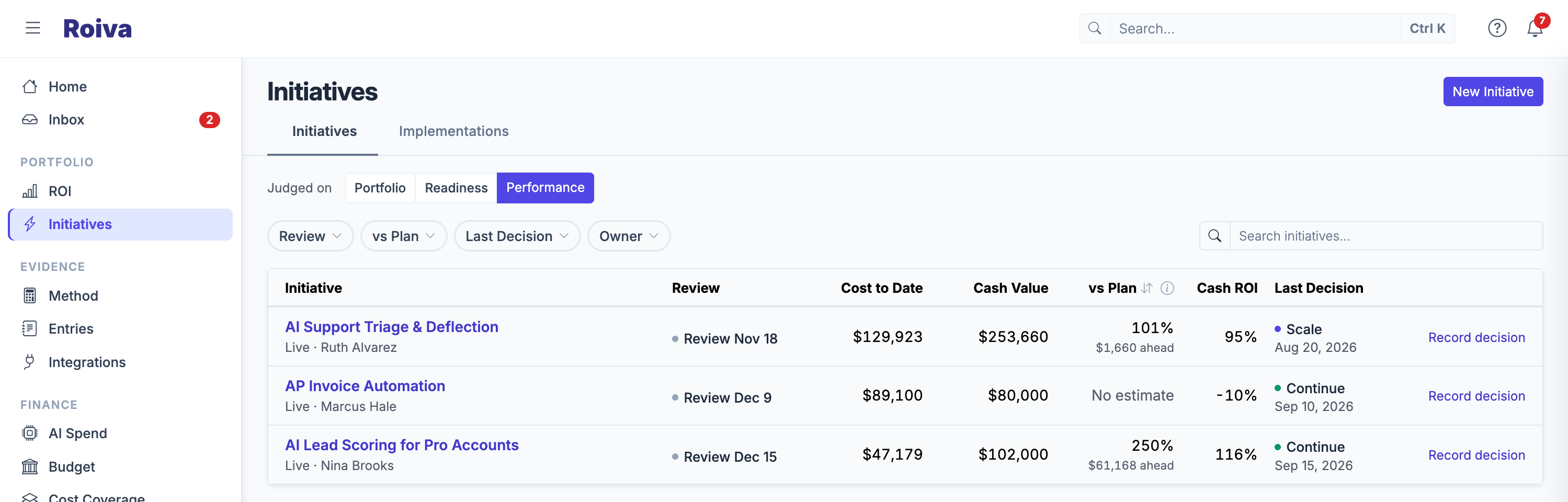
Decide what to continue, scale, fix, pause, or retire
Once an initiative is live, Portfolio Review brings it back up on a schedule. Each decision needs a reason and keeps the cost, cash value, freed capacity, and cash ROI it was made against, so next quarter's review reads the call as it was made.
- Cash against plan for the months since go-live, and which initiatives are late to value
- Due initiatives flagged on the list, decided one after another without leaving it
- Decisions can't be edited — a change of mind is a new decision on the record
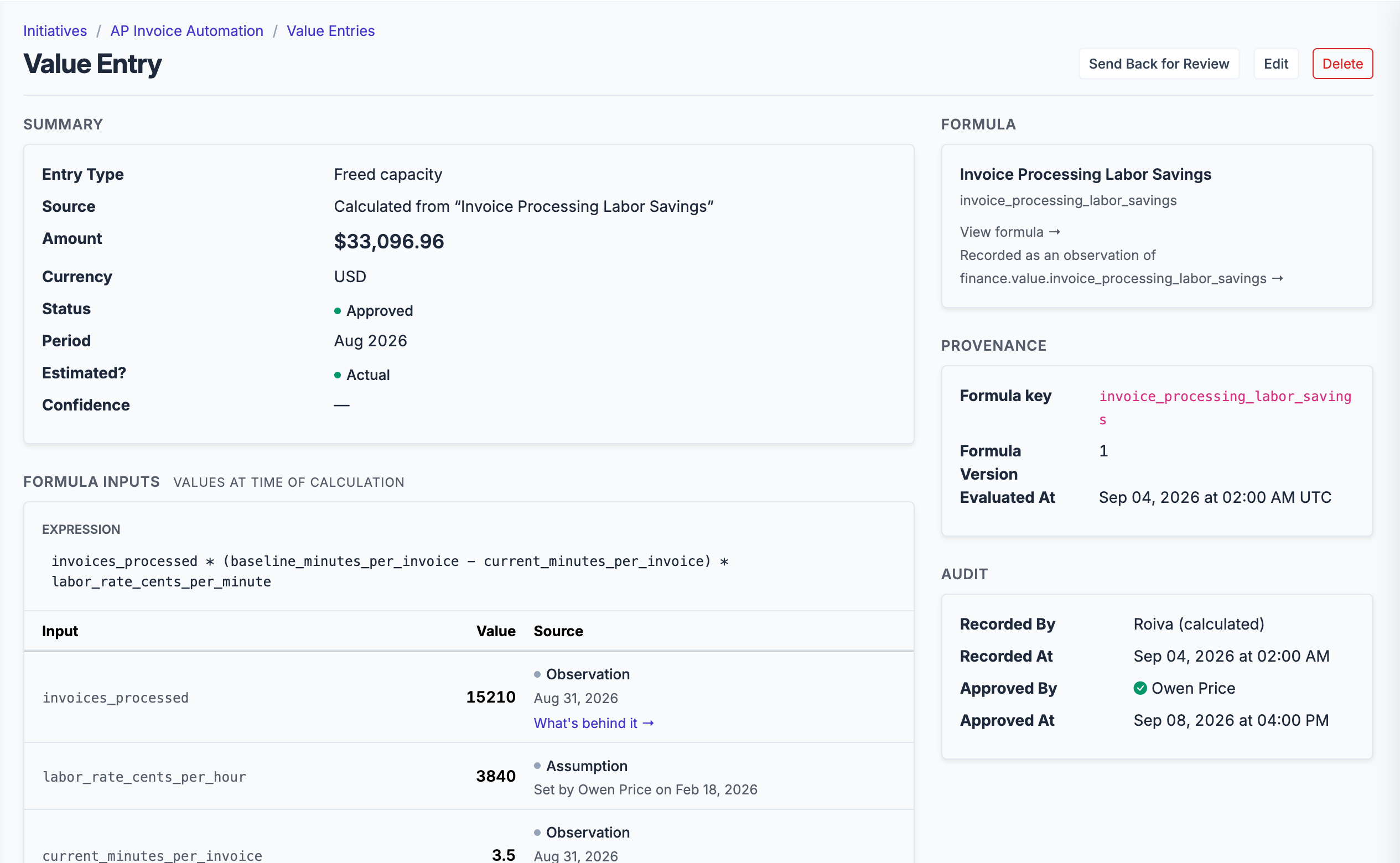
Every dollar in your ROI report says where it came from
Roiva's formulas are versioned, and every calculated entry stores an input snapshot — the baseline, observation, and variables that produced the number — so a figure from last year still reproduces after the formula changes. A synced entry keeps the source records it was counted from, and an entry a person made names them and the documents they cite.
- Cash (revenue gain, cost savings, cost avoidance) and freed capacity, reported side by side and never added
- Nothing counts until it's approved, and you set who may approve a figure they recorded
- Only approved cash rolls up into reported ROI; freed capacity counts as cash only with a cited document
- Default assumptions, like labor rates, say where they came from, and every change keeps the version it replaced
Agree the counting rules before anyone sees the result
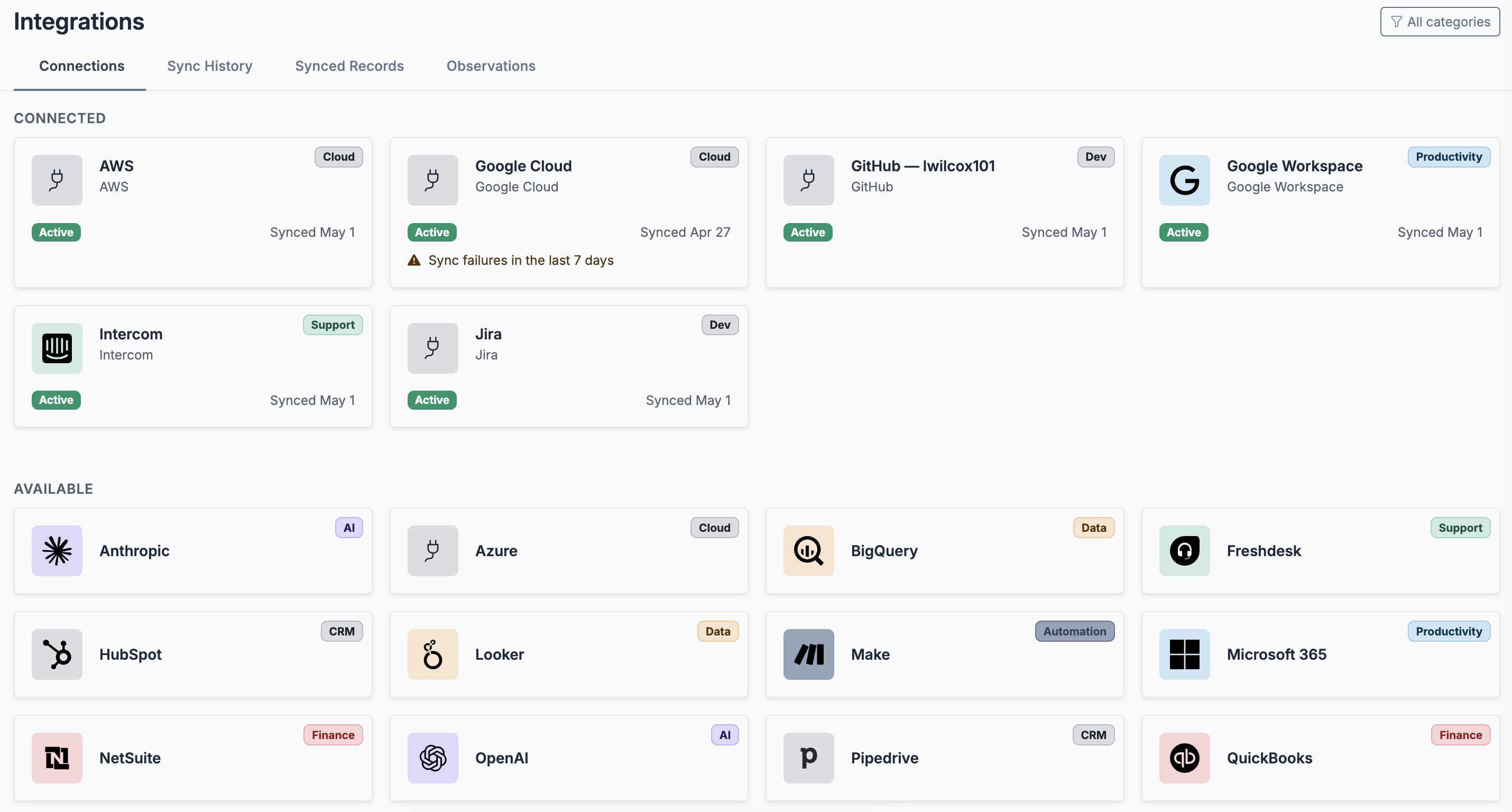
A number is easier to defend when the rules for counting it were signed before it existed. Roiva records how each baseline was measured, times the tasks no system records, and holds every initiative to a charter your CFO signs.
- Measurement charters: what the AI gets credit for, in words, plus the formulas and baselines that count it — signed, and flagged when a figure falls outside it
- Time studies: time a task with the AI and without it, on days drawn at random, and publish the result as the formula's before and after
- Every baseline says how it was measured — from history, a time study, a sample, a benchmark, or an estimate — and reports say how much value rests on estimates
- Metric queries read figures already modeled in Snowflake, Databricks, BigQuery, or SQL Server, every night
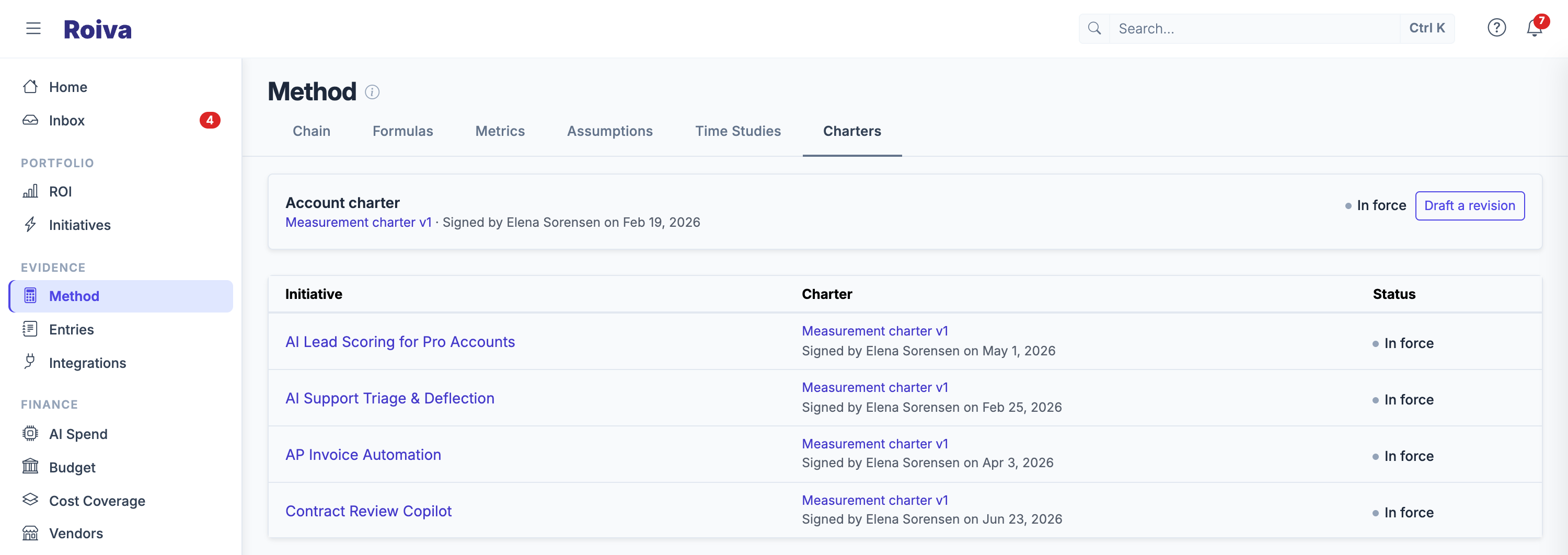
Track AI spend across providers — attributed to initiatives, or flagged as unattributed
AI spend is sprawled across model APIs, hyperscaler bills, and managed services. Roiva syncs what you connect and attributes it to specific initiatives by rules you set. Spend no initiative claims shows as unattributed rather than disappearing, so the cost side of your ROI math is billed, not estimated.
- Model APIs from Anthropic and OpenAI, and Copilot spend from GitHub
- Cloud AI services on AWS (Bedrock, SageMaker), Azure (Azure OpenAI), and Google Cloud (Vertex AI), and data platform spend on Snowflake and Databricks
- Per-token cost calculation from effective-dated pricing assumptions — overridable per account
- Per-initiative attribution via cost-allocation tag (AWS), resource tag (Azure), budget (GCP), or service-name mapping
- Spend counted as one initiative's cost and another's saving is flagged, not quietly doubled
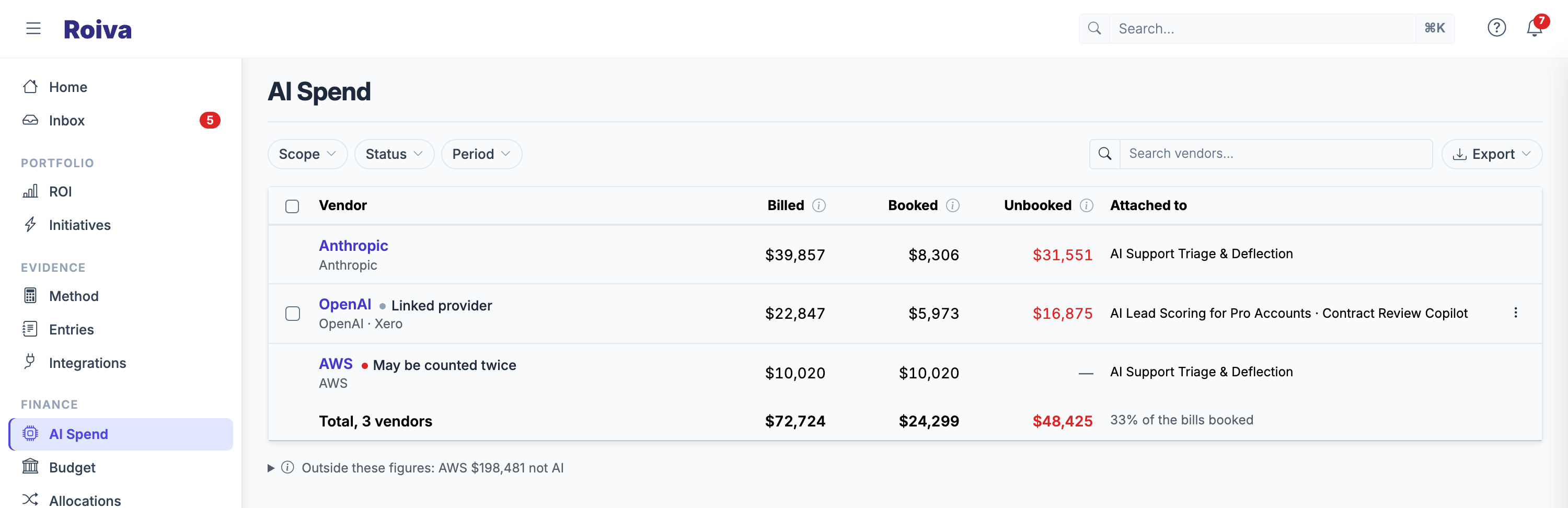
Book AI costs the way your finance team closes the month
Allocation rules split a vendor's bills across initiatives on a basis finance approves. When a month is done, Roiva posts the journal entries to your books and locks it, so its costs and approved value can't change afterwards.
- Fixed shares, or shares in proportion to each initiative's own costs
- Journal entries that reclass each bill to its initiatives, posted to QuickBooks, Xero, or NetSuite, and reversed on reopen
- Lock, reopen with a reason, and reconcile a month — with or without a finance connection
- PBC packets for your auditors: the month's rules, allocations, source bills, journals, and audit log in one ZIP
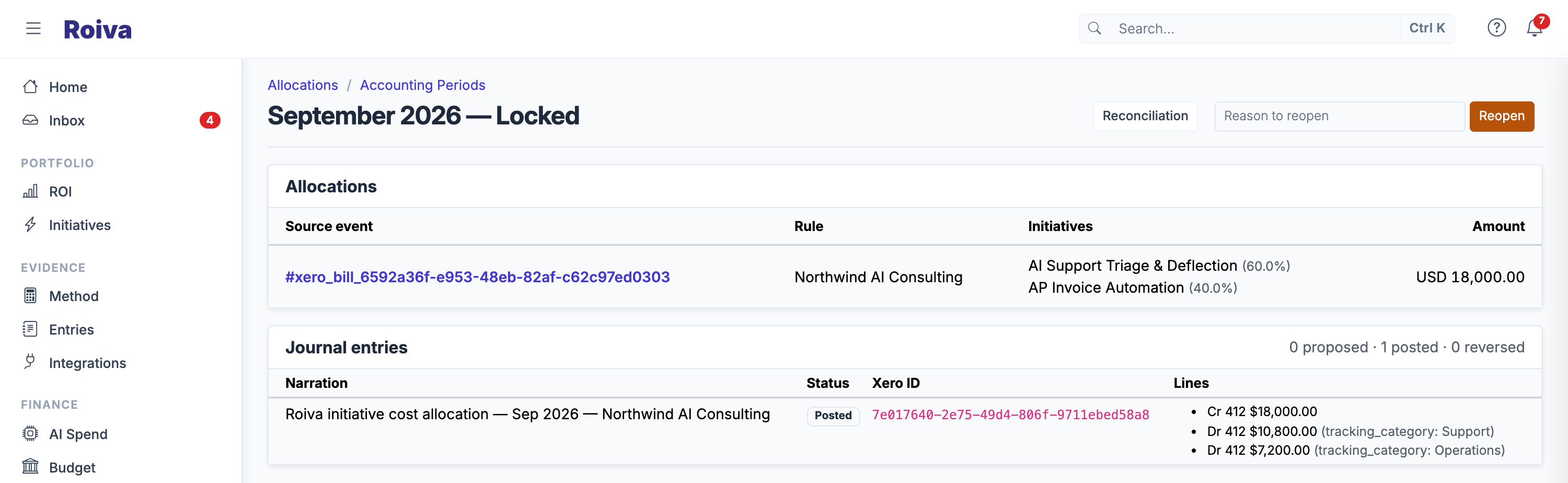
Pull cost and value from the tools you already use
Connect once and Roiva keeps every initiative's record current. Sync token spend from OpenAI / Anthropic, cloud spend from AWS / GCP / Azure, deal data from your CRM, and ticket data from your help desk.
- CRM (Salesforce, HubSpot, Pipedrive)
- Support (Zendesk, Intercom, Freshdesk)
- Finance & cloud (QuickBooks, NetSuite, Xero, Stripe, American Express, AWS, GCP, Azure)
- Data warehouses (Snowflake, Databricks, BigQuery) for spend, the same three plus SQL Server and Azure SQL for your own metrics, and Looker
- Engineering and productivity (GitHub, Jira, Google Workspace, Microsoft 365)
- Workplace AI assistants (Microsoft 365 Copilot, ChatGPT Enterprise, Claude Enterprise, Gemini in Google Workspace, Glean, and Amazon Quick through AWS)
- Automation (Zapier, Make, n8n), and Slack for stage changes and approvals
- And back out again: nightly reporting tables for Power BI, or delivered to your own S3 bucket for your warehouse to load
One view for the operator, a board pack for the CFO
Per-initiative ROI for the operator running it; portfolio-wide value, cost, and net ROI for finance and leadership. When it leaves Roiva, it leaves as a report a board can read.
- Board Brief: one fiscal quarter against the last, as a three-page PDF or slides with editable charts
- Portfolio Snapshot in Excel, PDF, or PowerPoint; a review report for each initiative
- Value Evidence Register: every approved entry with its formula version, inputs, and approver
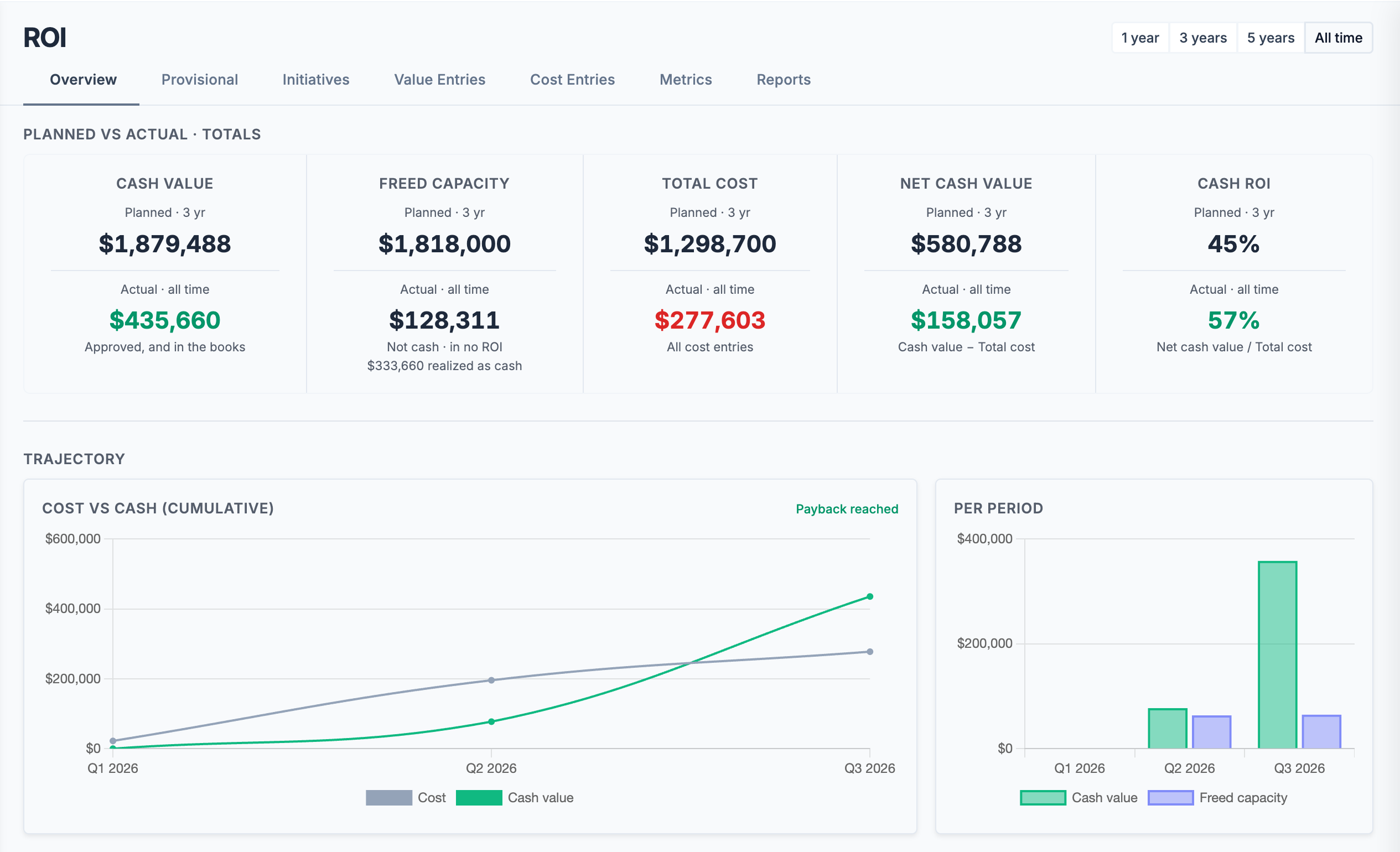
- Planned vs. actual at the initiative and portfolio level, by date range or stage
- Export lists to CSV or Excel, and the whole account as one ZIP on every plan
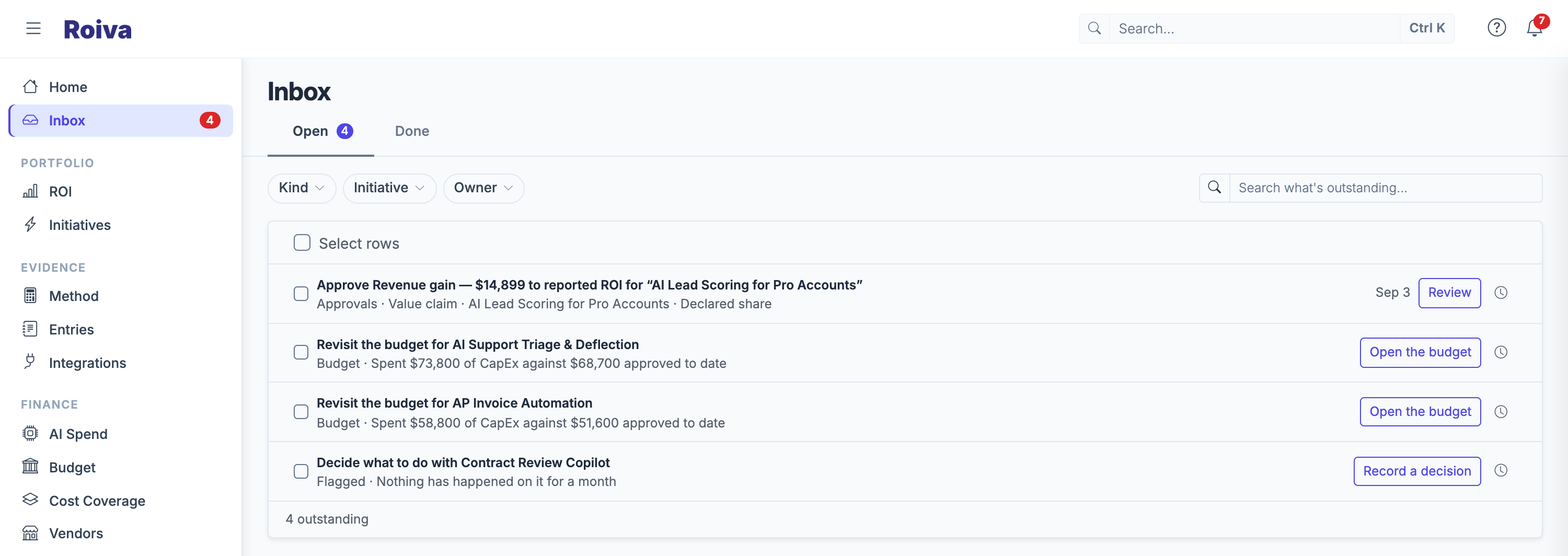
Everything waiting on you, most urgent first
One row for each kind of thing outstanding, and a button that opens the page where you fix it. Whatever would make a reported figure wrong comes before the rest.
- Approvals waiting on you, and charters to sign
- Spend no initiative books, and initiatives past their approved budget
- Missing baselines, re-measures due, and formulas waiting on a figure
- Search across initiatives, metrics, connections, vendors, and people with ⌘K
An AI assistant that knows your portfolio — in Roiva or in yours
Ask the assistant to summarize ROI, draft an initiative, log a cost entry, or flag anomalies. It works against your live initiative + integration data — included on all plans.
- Powered by Anthropic Claude
- Side-effects (entries, stage transitions) require your confirmation
- Included on every plan: from 1,700 units a month on paid plans, up to 35,000 in enterprise rollouts
- MCP access for Claude, ChatGPT, Microsoft Copilot, Amazon Quick, Gemini Enterprise, Gemini CLI, Cursor and other MCP clients: they read your figures, and anything they draft waits for a person to accept it — on every plan, the free account included
Built for the controls enterprise teams require
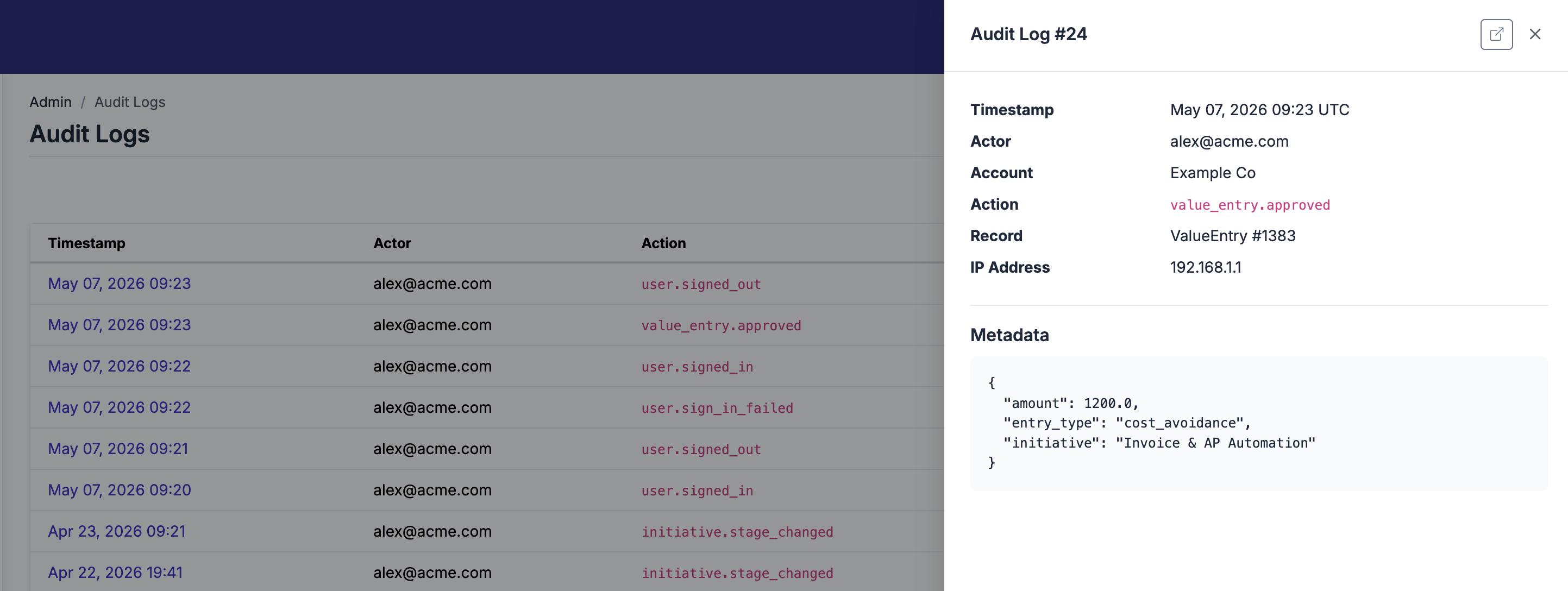
An append-only audit log, 2FA enforcement, impersonation controls, and SSO / SAML. Sensitive credentials encrypted at rest. Hosted on AWS US.
- Account-scoped audit log of authentications, role changes, value approvals
- Role-based access: Owner, Admin, and Member
- SSO and SAML — on every plan, the free account included
- Two-factor by authenticator app or text message, and an account setting to require it
Try it on your own AI portfolio
Start free and measure your first initiatives on your own data, with no card and no expiry. Or book a working session with the founder for a tailored walkthrough.