
Dev
Jira
Roiva tracks the Jira throughput behind an AI coding rollout, issues resolved, cycle time and story points, against the months before it, beside what it costs.
What it answers
Whether an AI coding rollout changed how much your engineering team ships, and how fast
What Roiva reads
Issues moved to Done in the last 3 months, with only the fields Roiva counts with and your site's story-point field. Never an issue's description or comments.
Setup
One OAuth approval in Atlassian, and a site admin's approval if your site asks for it
What you can measure with Jira
Issues resolved
Issues moved to Done each month against the months before the rollout, in the spaces your Jira user can browse.
jira.issues.resolved_count
Starts from the DevOps & Release Automation template
Cycle time
How long issues take to reach Done, month by month, against the months before the rollout.
jira.issues.cycle_time_avg
Story points
Points completed each month, read from whichever field your site uses for them. A site with no story-point field reports none, rather than zero.
jira.issues.story_points_completed
Tracked, not priced
Jira doesn't say how long anyone worked an issue, so throughput sits beside the initiative and isn't turned into dollars. The coding assistant's own figures do that.
A worked month
Engineering throughput after a coding-assistant rollout
Throughput against its baseline, tracked beside the initiative and not priced, for September
| Issues resolved a month before the rollout | 412 | Jira history |
| Issues resolved in September | 468 | Jira |
(468 − 412) ÷ 412
13.6% more issues resolved than the baseline
That change is reported beside the coding initiative's value, not added to it: the dollars come from the assistant's accepted suggestions or kept lines, priced at your developers' rate.
Illustrative figures. Roiva keeps every input with the entry it calculates, and none of it counts until it's approved.
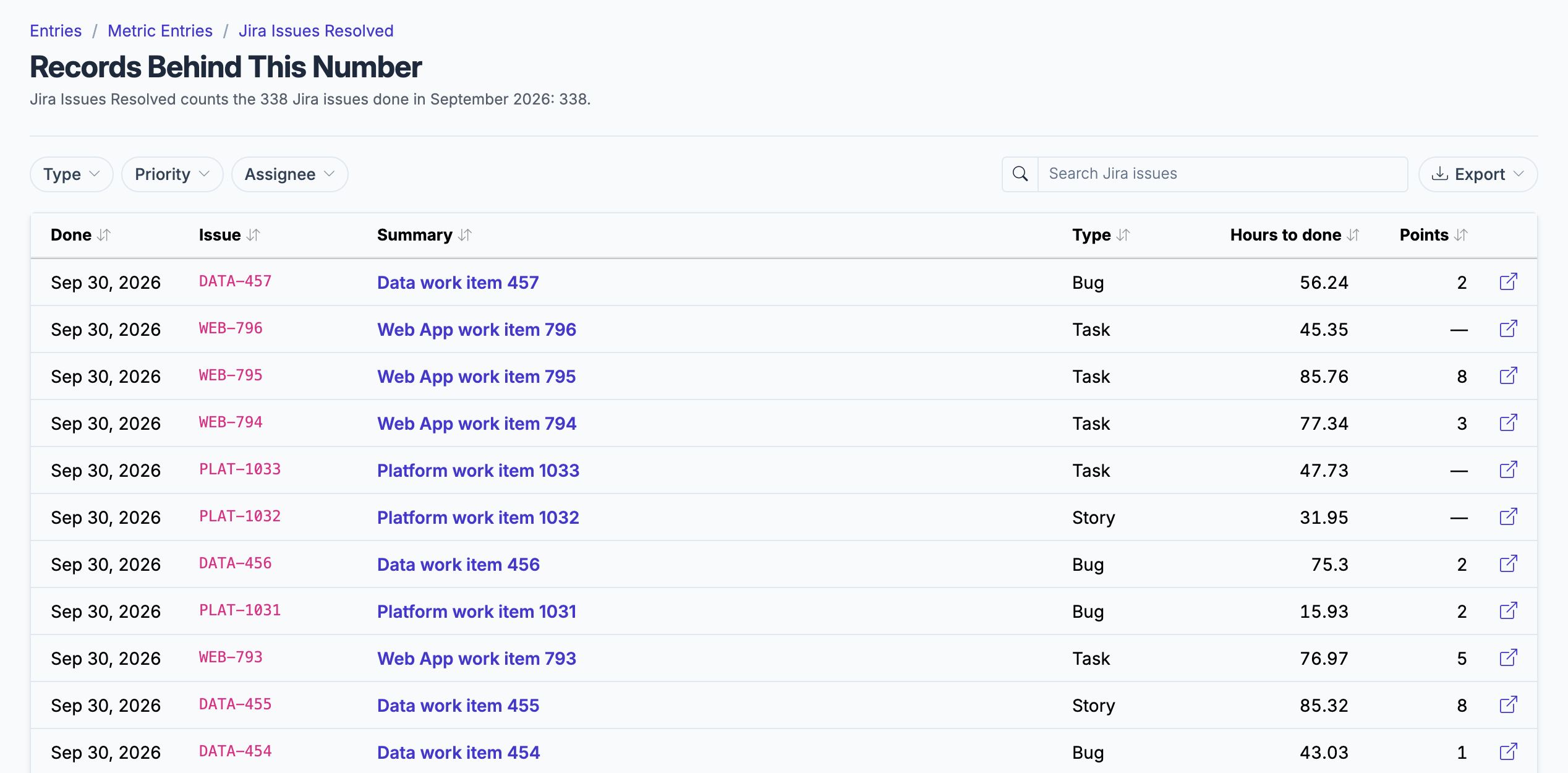
The issues behind a month's count, each with its type, hours to done and story points.
What gets synced
Roiva writes these metric observations on each sync. Reference the key in a value formula to use this data in your ROI calculations.
Issues
jira.issues.resolved_count
Resolved Issue Count
count
jira.issues.cycle_time_avg
Avg Cycle Time (hours)
duration
jira.issues.story_points_completed
Story Points Completed
count
What Roiva keeps
Reads: Issues moved to Done in the last 3 months, with only the fields the field-by-field table lists and your site's story-point field. Never an issue's description or comments.
Keeps: Records of issues, plus the totals worked out from them.
How to connect
You connect Jira from inside Roiva, so you need a Roiva workspace first. Sign in to connect it now. New to Roiva? Start free with your work email, take the free assessment and create your workspace at the end, or request an invite.
- In Roiva: Click Continue to Authorize — you will be redirected to Atlassian to authorize
- In Atlassian (only if it says your site admin must authorize this app): A Jira site admin approves Roiva in admin.atlassian.com under Apps → Sites → your site → Connected apps
- In Atlassian: Choose the Jira site to connect and grant read access. Roiva counts work items only in spaces (formerly projects) your Jira user can browse
- Back in Roiva: The connection page checks each step, including how many projects Roiva can see, and says what's missing. Once it's all ticked, click Test Connection
- Back in Roiva: Link this connection to an initiative on the Initiatives tab
Need help?
Email hello@roiva.ai with what you're seeing, and you'll hear back within one business day.
Jira
Start free, then connect Jira once your workspace is set up. Or begin with the free AI ROI exposure assessment.
Start free → Sign in to connectRelated integrations