

Automation
n8n
Roiva counts the production runs your AI workflows complete in n8n, workflow by workflow, and prices the manual work they replace at your ops rate.
What it answers
How much manual work an AI workflow replaces, and how reliably it runs
What Roiva reads
Workflows, and executions from the last 12 months without their data: Roiva asks n8n to leave out what each run processed.
Setup
An API key from your n8n instance's settings, and the instance URL
What you can measure with n8n
Manual work, priced
Successful runs each month × the minutes of manual work one run replaces × your ops hourly rate, as freed capacity. Roiva starts from five minutes a run, counted as an estimate, until you time the task or record your own figure.
n8n.workflows.successful_executions
Starts from the Workflow Automation with n8n, Make or Zapier template
Production runs only
Manual and test runs aren't counted, and a retry is its own execution, counted only if it succeeds.
n8n.workflows.executions
Errors, tracked beside it
Failed executions by month, so a workflow that started breaking shows before its output is missed.
n8n.workflows.failed_executions
Only whole months
n8n prunes old executions, so Roiva records only the months it still holds whole, rather than one cut short.
A worked month
An AI support-triage workflow on self-hosted n8n
Manual Work Replaced by Automated Workflows, from the Workflow Automation with n8n, Make or Zapier template, for September
| Successful production runs in September | 3,100 | n8n |
| Minutes of manual work one run replaces | 5 | Roiva's starting figure, until you set yours |
| Ops hourly rate | $52 | Set by Finance |
3,100 runs × 5 minutes × $52 ÷ 60
$13,433.33 freed capacity for September, reported beside cash ROI, never in it
The model calls the workflow makes are the initiative's cost, from the OpenAI or Anthropic connection, so cash ROI sets them against the freed time once it becomes cash.
Illustrative figures. Roiva keeps every input with the entry it calculates, and none of it counts until it's approved.
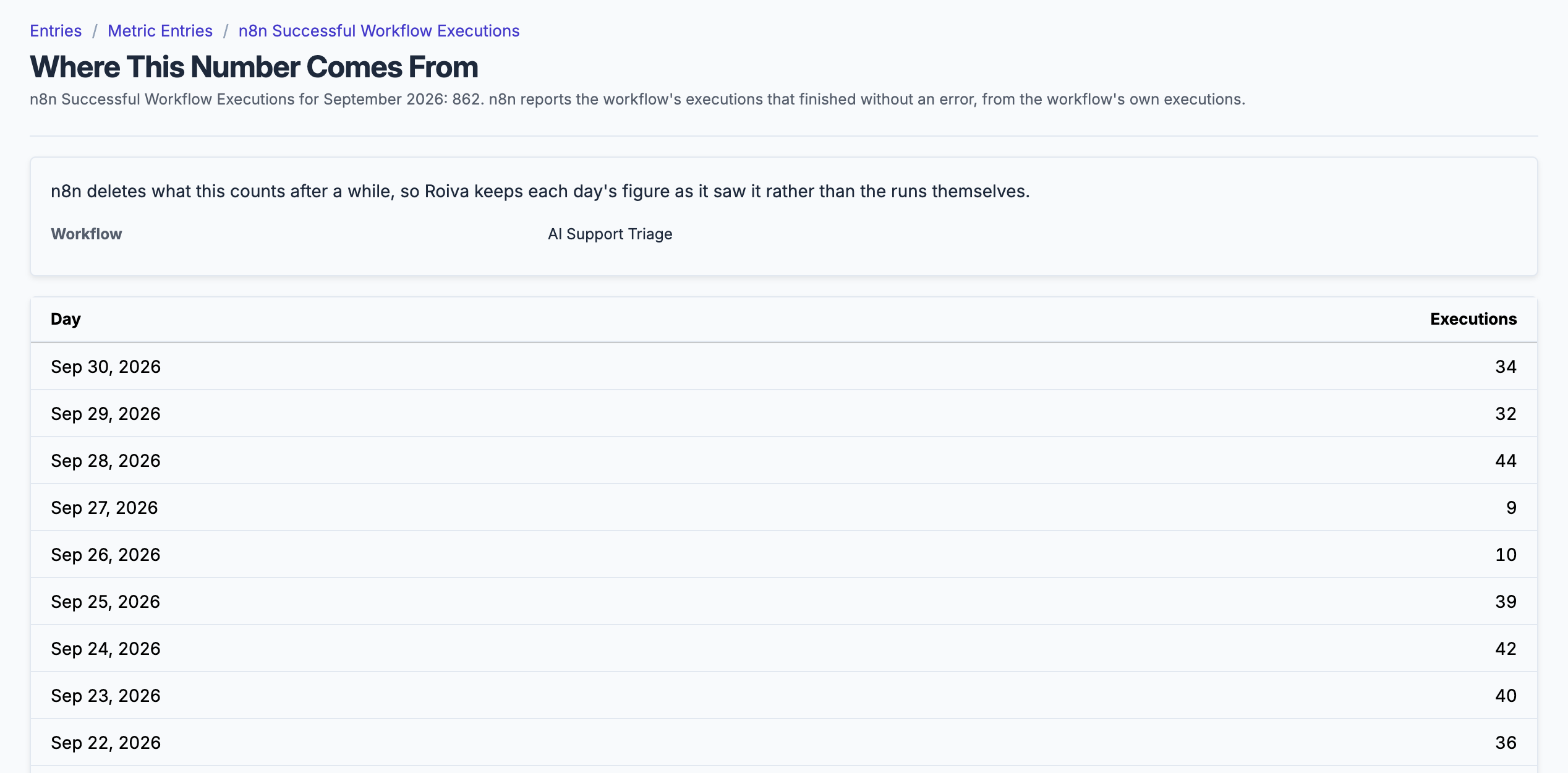
The production executions behind a month's count, by day and workflow.
What gets synced
Roiva writes these metric observations on each sync. Reference the key in a value formula to use this data in your ROI calculations.
Workflow Executions
n8n.workflows.executions
Production executions that finished (one row per workflow, the workflow in the row's dimensions)
count
n8n.workflows.successful_executions
Successful production executions, on the first try or a retry (one row per workflow)
count
n8n.workflows.failed_executions
Failed production executions, error or crashed, even if a retry then succeeded (one row per workflow)
count
What Roiva keeps
Reads: Workflows, and executions from the last 12 months without their data: Roiva asks n8n to leave out what each run processed. It keeps run counts per workflow, by name.
Keeps: Totals only, such as a month's count or spend. No record is kept.
How to connect
You connect n8n from inside Roiva, so you need a Roiva workspace first. Sign in to connect it now. New to Roiva? Start free with your work email, take the free assessment and create your workspace at the end, or request an invite.
- In n8n: Go to Settings → n8n API, select Create an API key, give it a label and an expiration, and copy the key. The API isn't available on the n8n Cloud free trial
- Back in Roiva: Enter your n8n instance URL in the Instance URL field (e.g. https://n8n.yourcompany.com)
- Back in Roiva: Paste the API key and save the connection
- Back in Roiva: The connection page checks each step, including every workflow an initiative names, and says what's missing. Once it's all ticked, click Test Connection
- Back in Roiva: Link this connection to an initiative on the Initiatives tab; optionally add a Filter with key workflow_ids and the IDs of the workflows to track, comma-separated
Need help?
Email hello@roiva.ai with what you're seeing, and you'll hear back within one business day.
n8n
Start free, then connect n8n once your workspace is set up. Or begin with the free AI ROI exposure assessment.
Start free → Sign in to connectRelated integrations

