

Automation
Zapier
Roiva counts the Zapier runs your AI automations complete, from a step you add to each Zap, and prices the manual work they replace at your ops rate.
What it answers
How much manual work an AI-powered Zap replaces, and how reliably it runs
What Roiva reads
Nothing: a step you add to a Zap posts each run to Roiva, with the Zap's name and whether it succeeded.
Setup
A Webhooks by Zapier step at the end of each Zap you track, on a paid Zapier plan
What you can measure with Zapier
Manual work, priced
Successful runs each month × the minutes of manual work one run replaces × your ops hourly rate, as freed capacity. Roiva starts from five minutes a run, counted as an estimate, until you time the task or record your own figure.
zapier.zaps.successful_runs
Starts from the Workflow Automation with n8n, Make or Zapier template
Failures, tracked beside it
Failed runs aren't counted as work done, and their rate by month shows a Zap that's breaking before anyone complains.
zapier.zaps.failed_runs
Work Roiva doesn't connect to
A Zap can stand in for a tool Roiva has no connection for: whatever it automates, its runs reach Roiva the same way.
Counted by Zap
Runs are counted per Zap, by name, so the figure shows which Zaps it came from.
zapier.zaps.runs
A worked month
AI ticket summaries posted by a Zap
Manual Work Replaced by Automated Workflows, from the Workflow Automation with n8n, Make or Zapier template, for September
| Successful runs in September | 1,380 | Zapier |
| Minutes of manual work one run replaces | 5 | Roiva's starting figure, until you set yours |
| Ops hourly rate | $45 | Roiva's default, until you set yours |
1,380 runs × 5 minutes × $45 ÷ 60
$5,175 freed capacity for September, reported beside cash ROI, never in it
A Zap without the Roiva step counts nothing, so add it to every Zap the initiative claims. Zapier's own subscription is the initiative's cost, from the bill in your books.
Illustrative figures. Roiva keeps every input with the entry it calculates, and none of it counts until it's approved.
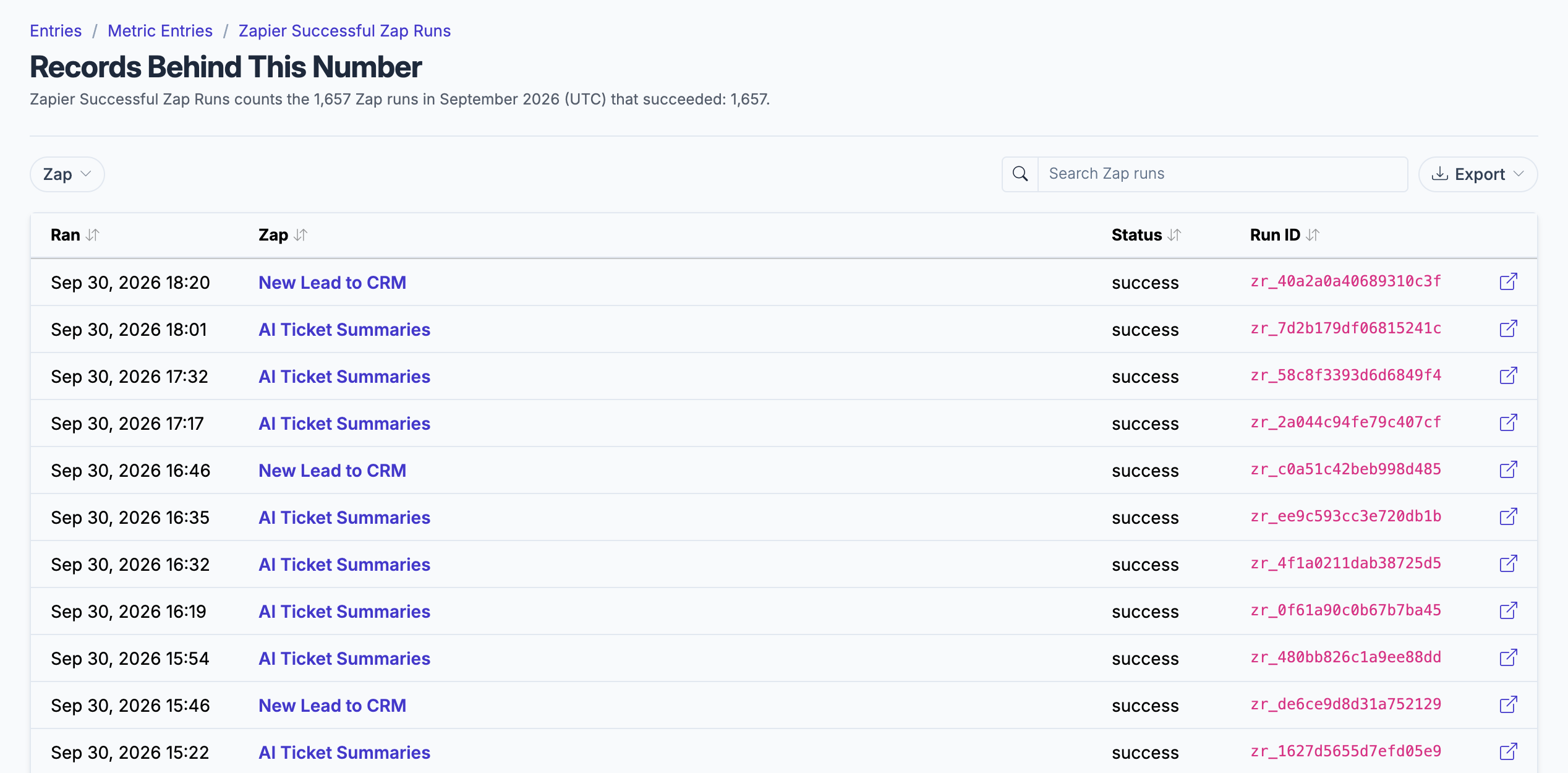
The runs behind a month's count, by day and Zap.
What gets synced
Roiva writes these metric observations on each sync. Reference the key in a value formula to use this data in your ROI calculations.
Zap Runs
zapier.zaps.runs
Total Runs
count
zapier.zaps.successful_runs
Successful Runs
count
zapier.zaps.failed_runs
Failed Runs
count
What Roiva keeps
Reads: Nothing: a step you add to a Zap posts each run to Roiva.
Keeps: Records of Zap runs, plus the totals worked out from them.
How to connect
You connect Zapier from inside Roiva, so you need a Roiva workspace first. Sign in to connect it now. New to Roiva? Start free with your work email, take the free assessment and create your workspace at the end, or request an invite.
- In Roiva: Create a Zapier connection — a unique ingest webhook URL is generated and shown once, so copy it then
- In Zapier: Webhooks by Zapier needs a paid Zapier plan (Professional, Team or Enterprise); it isn't available on the Free plan
- In Zapier: Open the Zap you want to track and add a final Webhooks by Zapier action step
- In Zapier: Choose the POST event and paste the connection's ingest URL into URL. Roiva keeps only a fingerprint of it, so if it's lost an admin replaces it from the connection page, and every Zap then needs the new one
- In Zapier: Set Payload Type to JSON and, optionally, add Data pairs run_id, zap_id, zap_name, status (success or error) and occurred_at (an ISO-8601 time such as 2026-09-14T15:30:00Z). A run sent without run_id or occurred_at counts every time it's sent
- In Zapier: Test the step, then Publish the Zap — Zapier only runs published Zaps
- In Roiva: Each time the Zap fires, a run is recorded and monthly metrics are updated in real time
- Back in Roiva: The connection page checks that the ingest URL is ready and says when runs start arriving
Need help?
Email hello@roiva.ai with what you're seeing, and you'll hear back within one business day.
Zapier
Start free, then connect Zapier once your workspace is set up. Or begin with the free AI ROI exposure assessment.
Start free → Sign in to connectRelated integrations

