

CRM
Pipedrive
Roiva books the Pipedrive deals your AI tools helped win, by a custom field you set, at your margin, and prices the change in win rate and sales cycle.
What it answers
Which won deals your AI sales tools can claim, and what they're worth at your margin
What Roiva reads
Deals, open, closed and archived, with only the fields Roiva counts with, plus any custom field an initiative names.
Setup
One OAuth approval in Pipedrive, by a global admin or a user who can see every deal you want counted
What you can measure with Pipedrive
Won deals, by a custom field
Set a custom deal field, such as Roiva Initiative = AI Sales Assistant, and each deal won with it is booked as it closes, at your contribution margin.
pipedrive.deals.won_value
Starts from the AI Lead Qualification & Scoring template
Win rate
Deals decided each month × the rise in win rate since go-live × the average won deal, for the share of the change you credit to the tool, at your margin.
pipedrive.deals.win_rate
pipedrive.deals.won_count
pipedrive.deals.lost_count
Starts from the Sales Coaching & Call Intelligence template
Sales cycle
A deal that closes sooner is the same revenue arriving earlier, so the days saved are valued at your cost of capital on the margin, never as new revenue.
pipedrive.deals.avg_sales_cycle_days
Starts from the Sales Coaching & Call Intelligence template
A renamed field, caught
Pipedrive keys a custom field by a code and an option by its ID. Roiva works from the names you type, and the connection page says when a field it can't find would book nothing.
A worked month
An AI prospecting assistant for a mid-market sales team
Won deals with Roiva Initiative = AI Sales Assistant, booked as each one closes, for September
| Deals won in September with that field set | 7 | Pipedrive |
| Their value, together | $112,000 | Pipedrive |
| Contribution margin | 35% | Set by Finance |
$112,000 × 35%
$39,200 cash value for September, one entry for each deal
Each entry keeps its deal's own currency, so a deal won in euros is booked in euros. Open and lost deals are never booked.
Illustrative figures. Roiva keeps every input with the entry it calculates, and none of it counts until it's approved.
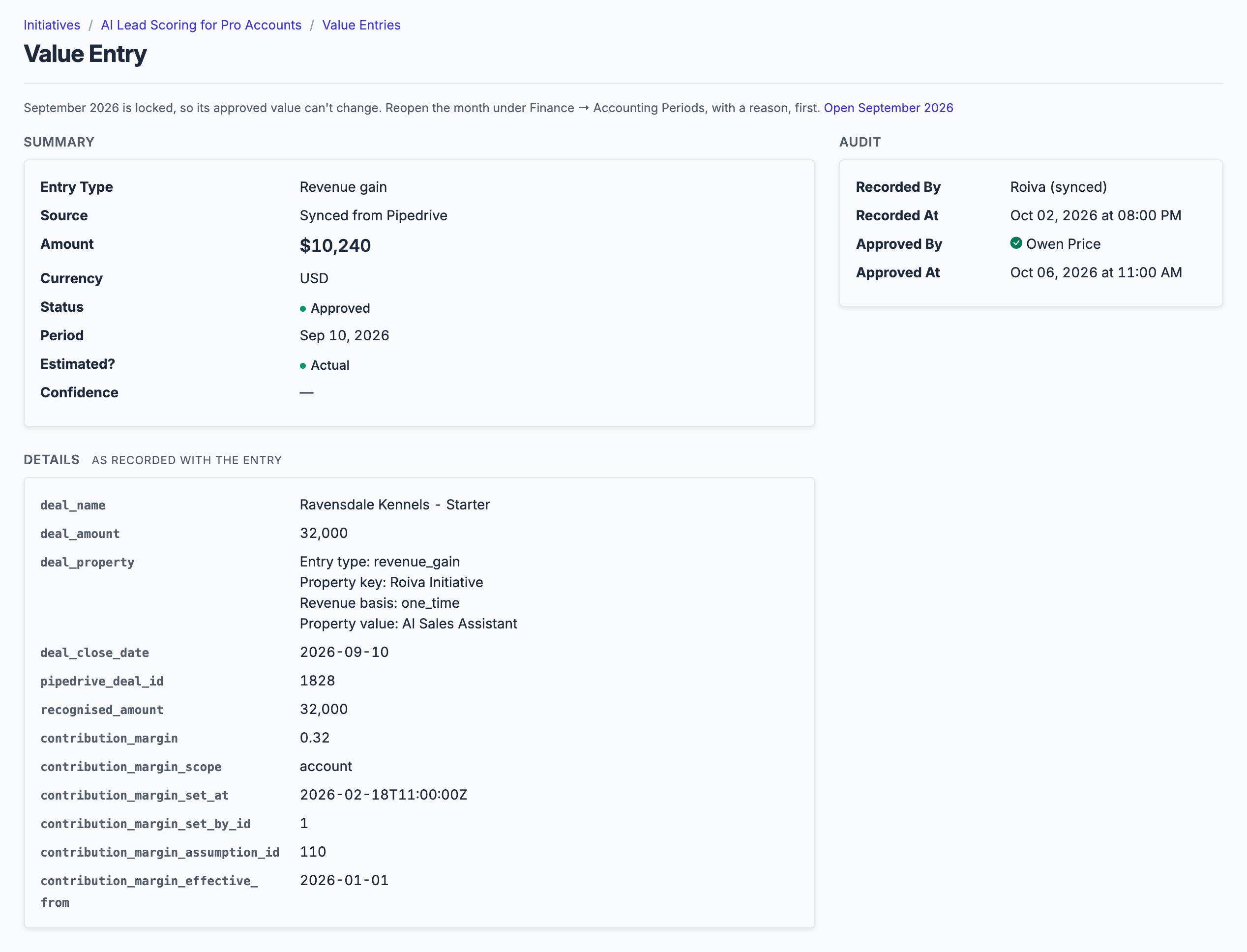
Each won deal is its own entry: the deal, the custom field and option that tied it to the initiative, and the margin applied.
What gets synced
Roiva writes these metric observations on each sync. Reference the key in a value formula to use this data in your ROI calculations.
Deals
pipedrive.deals.won_count
Won Deal Count
count
pipedrive.deals.lost_count
Lost Deal Count
count
pipedrive.deals.won_value
Won Deal Value
currency
pipedrive.deals.win_rate
Win Rate
percentage
pipedrive.deals.avg_sales_cycle_days
Avg Sales Cycle (days)
duration
pipedrive.deals.avg_value
Average Deal Value
currency
pipedrive.deals.open_count
Open Deal Count (snapshot)
count
pipedrive.deals.open_value
Open Deal Value (snapshot)
currency
What Roiva keeps
Reads: Deals, open, closed and archived, all of them. Pipedrive sends its whole deal record; Roiva keeps only the fields the field-by-field table lists, plus any custom field named where it's linked as a value source.
Keeps: Records of deals, plus the totals worked out from them.
How to connect
You connect Pipedrive from inside Roiva, so you need a Roiva workspace first. Sign in to connect it now. New to Roiva? Start free with your work email, take the free assessment and create your workspace at the end, or request an invite.
- In Roiva: Connect via OAuth — you will be redirected to Pipedrive to authorize
- In Pipedrive: Authorize as a global admin, or as a user whose visibility settings let them see every deal you want counted — Roiva syncs only the deals the authorizing user can see. If you belong to more than one Pipedrive company, switch to the right one first
- Back in Roiva: The connection page checks each step, and the custom deal field for each initiative it's linked to, and says what's missing. Once it's all ticked, click Test Connection
- Back in Roiva: After connecting, link this connection to an initiative on the Initiatives tab
Need help?
Email hello@roiva.ai with what you're seeing, and you'll hear back within one business day.
Pipedrive
Start free, then connect Pipedrive once your workspace is set up. Or begin with the free AI ROI exposure assessment.
Start free → Sign in to connectRelated integrations

