

AI
OpenAI
Roiva books OpenAI spend to the initiative that ran it, project by project, so each AI initiative's ROI is net of what its models actually cost.
What it answers
What each AI initiative's OpenAI usage costs, so its ROI is net of the model bill
What Roiva reads
Usage by model and cost by line item and project, from the Admin API. Never a prompt or a response, or which user or key made a request.
Setup
An Admin key, created by an OpenAI organization owner
What you can measure with OpenAI
Spend by project
Link a project to an initiative and it books that project's spend whole, as token cost, from OpenAI's own cost report.
openai.usage.spend
Shared spend, split
Spend from projects no initiative claims is split between the initiatives that share the bill, by the weights you set.
What nothing carries
AI Spend shows OpenAI's bill beside what initiatives booked, so spend attached to nothing is visible rather than lost.
Unit cost over time
Cost per request and per million output tokens, month by month, to see whether a model or prompt change made each answer cheaper.
openai.usage.cost_per_request
openai.usage.cost_per_million_output_tokens
A worked month
September's OpenAI bill, across three projects
Token cost, booked from OpenAI's cost report, for September
| Support Assistant project, linked to the support initiative | $4,180 | OpenAI |
| Sales Copilot project, linked to the lead-scoring initiative | $2,240 | OpenAI |
| Default project, linked to nothing | $500 | OpenAI |
$4,180 + $2,240 + $500
$6,920 billed for September: $6,420 booked to two initiatives, $500 attached to nothing
The support initiative's cash ROI sets its $4,180 against the cash value it earned that month, so a cheaper model shows up in the ROI, not only on the invoice.
Illustrative figures. Roiva keeps every input with the entry it calculates, and none of it counts until it's approved.
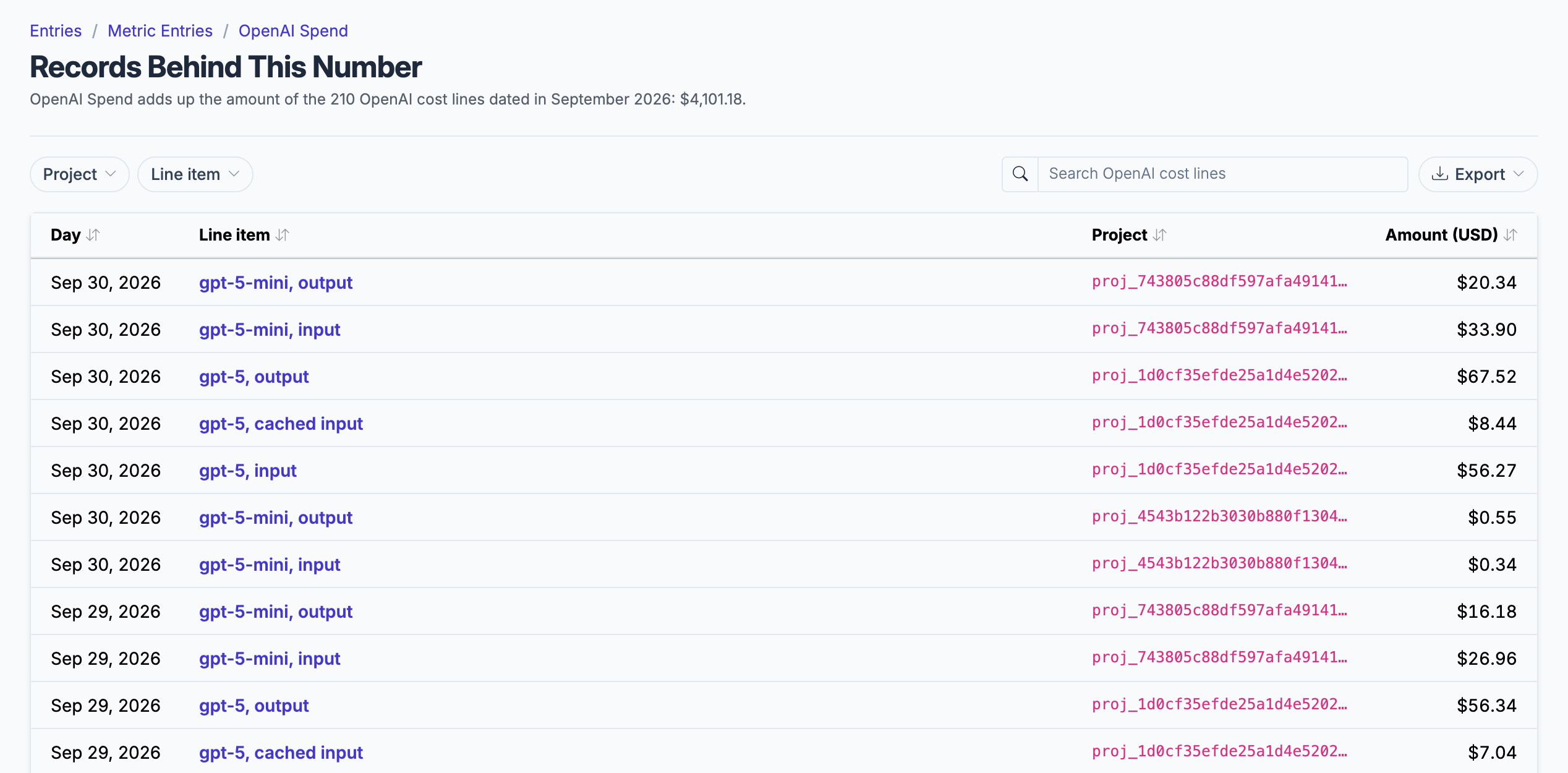
The cost lines behind the month's OpenAI spend, by model and project, as OpenAI's cost report gives them.
What gets synced
Roiva writes these metric observations on each sync. Reference the key in a value formula to use this data in your ROI calculations.
API Usage
openai.usage.spend
Total Spend
currency
openai.usage.cost_per_request
Cost per Request
currency
openai.usage.cost_per_million_output_tokens
Cost per Million Output Tokens
currency
openai.usage.input_tokens
Input Tokens
count
openai.usage.output_tokens
Output Tokens
count
openai.usage.total_tokens
Total Tokens
count
openai.usage.request_count
Request Count
count
openai.usage.model_input_tokens
Per-model input tokens (one row per model, the model in the row's dimensions)
count
openai.usage.model_output_tokens
Per-model output tokens (one row per model, the model in the row's dimensions)
count
openai.usage.model_total_tokens
Per-model total tokens (one row per model, the model in the row's dimensions)
count
openai.usage.model_request_count
Per-model request count (one row per model, the model in the row's dimensions)
count
What Roiva keeps
Reads: Usage by model and cost by line item and project for the last 3 months, from the Admin API. Never a prompt or a response, and never which user or API key made a request.
Keeps: Records of cost lines and usage by model, plus the totals worked out from them.
How to connect
You connect OpenAI from inside Roiva, so you need a Roiva workspace first. Sign in to connect it now. New to Roiva? Start free with your work email, take the free assessment and create your workspace at the end, or request an invite.
- In OpenAI: Sign in as an organization owner and go to platform.openai.com/settings/organization/admin-keys
- In OpenAI: Create an Admin key (starts with sk-admin-) — a regular project or user API key cannot read usage or cost
- Back in Roiva: Paste the Admin key here and save the connection
- Back in Roiva: The connection page checks each step and says what's missing. Once it's all ticked, click Test Connection
- Back in Roiva: After connecting, link this connection to an initiative on the Initiatives tab
Need help?
Email hello@roiva.ai with what you're seeing, and you'll hear back within one business day.
OpenAI
Start free, then connect OpenAI once your workspace is set up. Or begin with the free AI ROI exposure assessment.
Start free → Sign in to connectRelated integrations